We share knowledge that inspires and transforms!

9/17/2026
Self-hosting vs cloud: what should you choose for your business system in 2026?
Self-hosting makes sense when data must stay under full company control (GDPR, B2B contract clauses, regulated industries) and when system load is stable and predictable. Cloud wins with variable load, short-term projects, and no in-house team to maintain infrastructure. There’s no single right answer — the decision comes down to what matters more: full control and a predictable fixed cost, or zero operational responsibility at the price of vendor dependency. What’s the difference between self-hosting and the cloud? Self-hosting means running an application on a server the company fully controls — its own (on-premise) or a leased VPS/dedicated server managed directly or by an implementation partner. The cloud (AWS, Azure, GCP and their SaaS equivalents) hands infrastructure management to the vendor in exchange for usage-based billing and no server responsibility. The difference isn’t just technical. It’s a choice between two risk models: with self-hosting, the company takes on maintenance (patching, backups, monitoring) in exchange for full control over data and cost. In the cloud, the vendor takes on those duties, but the company loses some control and exposes itself to rising cost at scale and to lock-in. When does self-hosting pay off? Self-hosting makes sense when at least one condition holds: data is subject to specific requirements (GDPR, contracts with data-localization clauses, financial/healthcare sectors), system load is stable and predictable (a fixed server cost beats usage-based billing at large, continuous scale), or the company already has a team capable of maintaining the infrastructure (in-house or external, e.g. under a Dedicated Team model). A growing argument in 2026: the tension between GDPR and the US CLOUD Act. Data stored with a US-based vendor — even physically on servers in the EU — can be subject to US authorities’ access requests, which for some companies (especially in regulated sectors) is unacceptable regardless of price. When does the cloud pay off? Photo: Growtika / Unsplash The cloud wins when load is variable and hard to predict (seasonality, rapid growth, an MVP without an established scale), when the company doesn’t have and doesn’t want to build in-house operational competence (patching, 24/7 monitoring, incident response), or when the project is short-term and the cost of standing up its own infrastructure wouldn’t pay off. The cloud also has an edge where higher-level managed services are needed (managed AI/ML, elastic databases, global CDN) — rebuilding those yourself would cost more than just hosting the application. Self-hosting vs cloud — comparison Criterion Self-hosting Cloud Data control Full — data physically on your/chosen server Limited — depends on vendor jurisdiction and policies Cost model Fixed (server), predictable regardless of traffic Variable, grows with load and number of services Operational responsibility On the company (or a maintenance partner) On the cloud vendor Scaling Manual or planned, requires advance preparation Automatic, on-demand Lock-in risk Low — easier to migrate between servers Higher — managed services are harder to move GDPR / sector compliance Easier to demonstrate and audit Requires extra vendor verification and DPAs GDPR, the AI Act, and data sovereignty — why this matters in 2026 Since August 2, 2026, the AI Act applies in full, with penalties reaching 7% of global turnover for prohibited AI practices. For companies deploying systems with AI components (e.g. process automations with classification or content generation), the location and control of data processed by the model stops being a purely technical question — it becomes a compliance question. On top of that, the EU Data Act bans charging for moving data between cloud providers starting January 12, 2027 — a signal that regulators treat cloud lock-in as a problem worth intervening on. Self-hosting doesn’t eliminate every compliance obligation, but it significantly simplifies showing exactly where data physically lives and who has access to it. The hidden costs of both models The hidden cost of self-hosting is time — patching, monitoring, responding to outages at night, unless that’s outsourced. The hidden cost of the cloud is bills that grow faster than the value they deliver: data transfer (egress) fees, extra managed services enabled „along the way,” and migration cost if you need to switch vendors. A real decision doesn’t compare the price of a server against a cloud instance — it compares total cost of ownership (TCO) across both models, including team time and downtime risk, the same approach we use when estimating how much CRM implementation costs: the total matters, not the entry price. What self-hosting looks like in practice At Codari we deploy custom applications and automations on the client’s own self-hosted infrastructure, choosing the server and management approach based on the project’s scale and compliance requirements — with a focus on predictable monthly cost, full data control, and deployment simplicity close to a PaaS (repository-based deploys, automatic SSL, container isolation). It’s a middle path: self-hosting without the operational overhead of classic on-premise. How to make the decision Classify your data. Check whether the system will process data subject to specific requirements (GDPR, sector regulations, customer contract clauses). Estimate the load. Stable, predictable load tips the scale toward self-hosting; variable, hard-to-forecast load tips it toward the cloud. Calculate TCO, not just infrastructure price. Include team maintenance time (self-hosting) and real usage bills plus add-on fees (cloud). Check who will actually maintain the infrastructure. Self-hosting without a team able to maintain it is a bigger risk than any cloud cost. Leave yourself an exit. Whatever you choose, avoid an architecture that blocks migration — that’s the most expensive mistake to fix later. FAQ Is self-hosting cheaper than the cloud? It depends on scale and load pattern — with stable, predictable traffic self-hosting is usually cheaper long-term; with variable load the cloud avoids paying for unused capacity. Is self-hosting GDPR-compliant? Self-hosting alone doesn’t guarantee compliance — you still need proper security, backups, and procedures. It does make it easier to demonstrate where data physically lives and who can access it. Can you combine self-hosting with the cloud? Yes — a hybrid model is common: sensitive data and the system’s core self-hosted, supporting services (CDN,

9/15/2026
Zoho vs Dedicated CRM vs HubSpot — Which CRM to Pick in 2026?
Zoho fits small and mid-sized companies looking for a fast start at a low entry cost. HubSpot suits teams that are heavily inbound/marketing-driven and ready to pay more for a ready-made ecosystem. A dedicated CRM makes sense when the process is non-standard, the user count is growing, and you don’t want to pay a growing license forever. Pricing model — who charges what System Model Price (per user/month) Entry point Dedicated CRM Open-source, dedicated build No license fees — implementation quoted individually Higher (requires implementation) Zoho CRM SaaS from $14 (Standard) to $52 (Ultimate) Low (free tier up to 3 users) HubSpot Sales Hub SaaS Starter $15-20/seat, Professional $90-100/seat (+ onboarding ~$1,500), Enterprise from $150/seat (+ onboarding $3,500-6,000) Medium-high from Professional up Prices per vendor pricing pages, August 2026, in USD — verify current rates before deciding, vendors change pricing regularly. Full breakdown of what actually drives a dedicated CRM’s implementation cost in our CRM implementation cost guide. Data control and customization This is where the gap is widest. Zoho and HubSpot are closed SaaS platforms — data lives on the vendor’s infrastructure, customization is limited to what the panel and API expose. A dedicated CRM is open code — full control over data location and unrestricted modification, but maintenance responsibility sits with you (or your implementation partner). Time to launch — from zero to running Zoho — the free tier works instantly; paid plans with basic configuration take days, not weeks. HubSpot — Starter is similarly fast; Professional/Enterprise requires onboarding (hence the one-time onboarding fee from the vendor). Dedicated CRM — weeks, because it’s a dedicated build: process workshop, configuration, integrations, data migration. Which system for which company Situation Recommendation 1-5 person team, standard sales process Zoho — lowest entry point Heavily inbound/content-driven company with budget for tooling HubSpot — marketing+sales ecosystem in one Non-standard process, growing team, data requirements Dedicated CRM — one-time cost instead of a growing license Company building its own platform on top of a CRM Dedicated CRM — a framework, not just a contact database A closer look at when a dedicated build actually makes sense — in our separate dedicated CRM review. See how this looks in practice in our ŁKS Łódź implementation case study. FAQ Which CRM is cheapest to start with? Zoho has a free plan for up to 3 users — the lowest entry point of the three. A dedicated CRM has no license fees, but requires a paid implementation from day one. Which CRM is cheapest long-term for a large team? Usually a dedicated CRM — SaaS licenses grow linearly with user count with no ceiling, while a one-time open-source implementation cost doesn’t. Can data be moved between these systems? Yes, each one supports export/import (CSV, API) — migration is possible in either direction, though complexity depends on how much customization exists in the source system. Which of these systems integrates best with marketing tools? HubSpot, since that’s its natural environment (Marketing Hub in the same ecosystem). Zoho and a dedicated CRM need API integrations with external marketing tools. Not sure which CRM fits your case? Get in touch — we’ll compare it against your actual requirements, not generic claims. Like our content? Add us as your preferred source on Google. Add as preferred source

9/15/2026
Business Process Automation in 2026 – Where to Start
Business process automation in 2026 isn’t a one-off project — it’s the ongoing work of connecting repeatable tasks to systems that make decisions, not just follow instructions. The best starting point is one specific, high-volume process (lead classification, notifications), not automating „everything at once.” What’s actually changed in process automation Classic automation (RPA, simple „if X then Y” rules) still works, but in 2026 an agentic layer sits on top of it — AI systems that analyze context and make decisions within defined boundaries, not just execute a rigid script. Where to start automating in your company Pick one high-frequency process — repeatable, measurable, with a clear entry and exit point. Measure your starting point — how much time/effort it costs today. Build a proof of concept, not the final system — a small, testable slice. Measure the result before scaling — take on the next process once the first one works. What’s worth automating first Process Why it’s a good candidate Typical tool Lead classification and routing High frequency, clear rules + context to analyze CRM + AI classification Internal notifications Simple rules, big impact on response time Workflow in CRM Document generation (quotes, confirmations) Repeatable template, easy to measure Templates + automation Data sync between systems Eliminates manual re-entry, reduces errors API/webhook integrations What to avoid when automating processes Automating a broken process — automation locks in the mess instead of fixing it. No human-in-the-loop on higher-stakes decisions — irreversible actions still need a human checkpoint. Building everything at once — no baseline to measure against. Ignoring governance — an audit trail matters more as AI’s share grows. FAQ Which process is best to automate first? One that’s high-volume and measurable. Does AI automation replace people in the process? It shouldn’t on higher-stakes decisions. How long does automating one process take? Usually weeks, not months, for a proof of concept. Can process automation be built without a dedicated CRM? Yes, through tools like n8n connecting existing systems. Not sure which process to automate first? Get in touch — we’ll help you pick a starting point with a real return. Like our content? Add us as your preferred source on Google. Add as preferred source
9/9/2026
Octopus for ŁKS Łódź: How We Built the Club’s „Digital Brain”
Octopus is an integration layer built by Codari for ŁKS Łódź, connecting the club’s sales, marketing, business, and operational data into one system. Instead of scattered tools (CRM, ticketing, forms, digital channels), the club has a single source of truth about each fan and their activity — updated in real time. What problem were we solving? A sports club generates data in many places at once: ticket and season-pass sales, digital channel activity, lead-capture forms, B2B relationships with sponsors. Without a shared integration layer, that data lives apart — and the club has no full picture of who its fans actually are or how to talk to them. ŁKS Łódź set out to build one consistent database covering a community already numbering in the tens of thousands of fans, with room for advanced segmentation and messaging tailored to different fan groups. Architecture: why middleware, not another off-the-shelf system Codari designed Octopus as an integration layer (middleware), not another monolithic system. The key architectural decision: integrations don’t connect directly to each other (e.g. form → CRM) — they all pass through Octopus, which normalizes the data and routes it onward. The whole thing is built modularly, like building blocks, where each component can be swapped independently of the rest. That gives the club one point of control, independence from any single technology vendor, and the ability to plug in new data sources without rewiring the whole architecture. Approach: a central contact database tied to an automation engine that routes data from forms, sales, and digital channels into one place — fully under the club’s control. FanScore — how we measure fan engagement Part of Octopus is FanScore — a model that scores each fan’s engagement level based on several signals at once: stadium attendance, purchase activity, and digital-channel interactions. Combined with psychographic analysis, it’s used to build concrete fan personas and tailor marketing communication to them, instead of sending the same message to the entire base. What Octopus actually connects The result The club moved from scattered, disconnected tools to one extensible data platform. Instead of „where do I find this information” — one source of truth, kept up to date, with room to add new data sources and features without rewriting the architecture from scratch. Area Before Octopus With Octopus Fan data Scattered across several systems One consistent database Sales and ticketing Separate system, disconnected from the rest of fan data In the same database as the rest of fan activity Segmentation Manual, limited Advanced, driven by FanScore Reporting Scattered per department Shared dashboards for management and every department New data sources Required rewiring the architecture Plugged in without rebuilding the system FAQ What is Octopus? Octopus is an integration layer built by Codari for ŁKS Łódź, connecting the club’s CRM, ticketing system, forms, and analytics data into one system. How does data integration work inside Octopus? Octopus acts as a middleware layer — no source connects directly to the central database. Data is normalized and routed through the shared integration layer, giving the club a single point of control. Can Octopus be extended with new integrations? Yes — that was a core architectural decision. New data sources and features can be added without rebuilding the whole system, because integrations pass through the shared middleware layer rather than connecting directly. Does a similar solution make sense for a smaller company, not just a sports club? Yes. Middleware connecting CRM, forms, ticketing/sales, and process automation works anywhere data lives across several disconnected systems — dealer networks, service businesses with multiple lead channels, event organizations. What is FanScore? A model that scores fan engagement based on stadium attendance, purchase activity, and digital interactions — combined with psychographic analysis, it’s used to build fan personas and tailor communication to them. Have a similar problem — data scattered across several systems with no shared view? Get in touch — we’ll show you how it works in practice using Octopus as the example. Like our content? Add us as your preferred source on Google. Add as preferred source

9/8/2026
Is a Dedicated CRM Worth It in 2026? Review and Who It’s For
A dedicated CRM is a solution built on open-source code — no license fees for the software itself, a modular architecture, and a REST API for integrations. It fits companies that want full control over their data and process and don’t want to pay a growing per-user subscription. It doesn’t fit teams that want an out-of-the-box rollout with zero implementation work. What is a dedicated CRM, exactly? It’s a CRM built on open-source code — fully under the control of the company implementing it, with no license restrictions. In practice that means three things: no fees for the software itself, full ownership of your data (the system lives wherever you put it), and the ability to extend it with custom entities, fields, and automations without waiting on a vendor. Good implementations lean toward a single-page application (SPA) interface — fast, minimalist, with a short learning curve. Who does a dedicated CRM make sense for? Who doesn’t a dedicated CRM make sense for? Dedicated CRM vs. a typical SaaS CRM Criterion Dedicated CRM (open-source) Typical SaaS (Zoho/HubSpot) License fees None Grow with user count Time to start Weeks (implementation) Hours (self-service) Data control Full Limited to vendor’s panel Customization Unlimited (open code) Within vendor’s plan/API Maintenance On the company/implementation partner On the SaaS vendor Ready-made integrations Need to be built Often available out of the box What a real dedicated CRM implementation looks like FAQ Is a dedicated CRM suitable for a small business? Yes, if you have at least a minimal implementation budget — the software itself costs nothing, but configuring it for a real process is work, not self-service. Does a dedicated CRM have a mobile app? Good implementations have a fully responsive interface (mobile-friendly), accessible through a browser on mobile devices. Can a dedicated CRM be integrated with n8n or a similar automation tool? Yes — the REST API is usually straightforward to connect to n8n or other automation tools; it’s one of the more common implementation patterns. How does security work in a dedicated CRM? Good systems have roles, permissions, and audit logs built in, but responsibility for maintenance (updates, hardening) sits with the implementing company or service provider. Wondering if a dedicated CRM fits your process? Get in touch — we’ll give you a straight assessment either way. Like our content? Add us as your preferred source on Google. Add as preferred source

9/8/2026
How Much Does CRM Implementation Cost in 2026?
CRM implementation cost depends mainly on which platform you pick. Ready-made SaaS tools (Zoho, HubSpot, Salesforce) publish their license pricing openly — anywhere from a few dollars to a few hundred per user per month, depending on the plan. A dedicated build has no off-the-shelf price tag — cost depends on integration scope, automation, and data migration, and gets quoted individually after a process review. What drives the cost of a CRM implementation? Price isn’t the „system” itself — it’s the work around it. The biggest cost drivers: What do popular CRM systems cost (license pricing)? System Model License price (per user/month) Best for Dedicated CRM Open-source, dedicated build No license fees — implementation quoted individually Companies wanting full control, custom integrations, no per-user fees Zoho CRM SaaS from $14 (Standard) to $52 (Ultimate) SMBs, fast start, Zoho ecosystem (Campaigns, Books) HubSpot Sales Hub SaaS Starter from $15-20/seat, Professional $90-100/seat (+ one-time onboarding ~$1,500), Enterprise from $150/seat (+ onboarding $3,500-6,000) Marketing-driven, inbound teams Salesforce Sales Cloud Enterprise SaaS Starter $25, Pro Suite $100, Enterprise $175, Unlimited $350/user Large organizations, complex processes, bigger budgets Prices per vendor pricing pages, August 2026, in USD — verify current rates before deciding, vendors change pricing regularly. SaaS or a dedicated build — which pays off? Short version: standard processes and a fast start point to SaaS. A specific workflow, heavy integration needs, and reluctance to pay a growing per-user fee forever point to a dedicated build — it pays off over a longer horizon since there are no license fees that grow with headcount. The math is simple: SaaS means a low starting cost but a fixed, growing bill, multiplied by every user, with no ceiling. A dedicated build means a higher one-time cost but no ongoing license fees. At larger teams and a multi-year horizon, the gap becomes significant. We run the exact comparison for your case — with real numbers — at the quoting stage, since it depends on scale and integration scope. How does a CRM implementation work, step by step? An example from our own work: Octopus for ŁKS Łódź For ŁKS Łódź, a Polish first-division football club, we built Octopus — an integration layer connecting CRM, ticketing, and fan data in one place. It wasn’t an off-the-shelf pick: the club’s processes (ticket sales, fan handling, B2B data with sponsors) needed a dedicated middleware architecture. The result: one source of truth instead of scattered tools. Full case study: Octopus for ŁKS Łódź FAQ Is SaaS licensing always cheaper than a dedicated build? At the start, yes — SaaS has a lower entry point. Over a longer horizon and with more users, the growing per-user license cost can outweigh the one-time cost of a dedicated open-source build. Is a dedicated CRM really free? The software itself, yes — no license fees. You pay for implementation and configuration, quoted individually based on scope. How long does a CRM implementation take? Depends on integration scope and data migration — from a simple SaaS setup measured in weeks to a full dedicated build with integrations measured in months. Can a CRM be integrated with a call center and Facebook Lead Ads? Yes. These are standard integrations — we build them with automatic lead classification. Need a CRM implementation quote for your specific processes? Get in touch — you’ll get a real quote for your scope, not generic ranges. Like our content? Add us as your preferred source on Google. Add as preferred source

1/30/2026
Codari and ŁKS Łódź: A New Dimension of Technology Partnership
We are thrilled to announce that Codari has officially joined the sponsors and partners of Łódzki Klub Sportowy! This new Codari–ŁKS Łódź partnership is a source of great pride for us and a confirmation of our local identity. As a Łódź-based software house for whom technology is a passion and client success is the priority, we believe that partnering with a club of such rich history and ambition is a natural step in our growth. Learn more about our mission on our About us page. Codari and ŁKS Łódź: shared values in technology and sport In business, just like on the pitch, precision, reliability, and teamwork are what matter. At Codari, we design modern dedicated applications and IT systems every day that help our clients win in their industries. Today we’re bringing that same energy and full commitment to the business community around the club. We also encourage you to follow the team’s results on the official ŁKS Łódź website. ŁKS is a club with more than a hundred years of history — a two-time Polish champion, a symbol of Łódź sport and its relentless drive for the highest goals. Those values — ambition, determination, and teamwork — are exactly what we hold close. Our team supports and respects each other and takes real joy in working together, creating an atmosphere of collaboration, passion, and excellence. We want to be a leader in building innovative IT solutions that change how companies operate and drive their growth. Experience that builds trust Our foundation is more than 20 years of experience managing complex IT projects, including work for the financial sector and international brands such as UniCredit. As experts in our field, we specialize in: We start every project with a deep understanding of the business need behind it. We believe there’s no one-size-fits-all approach — that’s why we focus on individual solutions that deliver real, measurable results. Playing for the same goal The partnership with ŁKS is more than a logo on the stadium for us. It’s an expression of our support for the local sports community and our commitment to building lasting relationships built on honesty, reliability, and innovation. We’re proud to support the „Knights of Spring” on their way to future success. An exciting time lies ahead of us — both in the world of new technology and on the pitch. Codari — a software house from Łódź. Technology built for business growth. Now also in ŁKS colors! Like our content? Add us as your preferred source on Google. Add as preferred source

9/22/2025
MVP Workshops — How to Plan and Run Them Effectively?
An effective MVP workshop is a one- to multi-day session where the team jointly defines the minimum set of features that solve the user’s core problem, prioritizes them using MoSCoW or an Impact/Effort matrix, and ends with a concrete action plan. A well-run workshop protects against the most common mistake — overloading the first version of a product with features it doesn’t need yet. What is an MVP in the context of workshops? An MVP (Minimum Viable Product) combines three aspects: market desirability, technical feasibility, and business viability. An MVP workshop is a structured session where the product team jointly decides what goes into the first version. Goals of an MVP workshop: Defining the minimum feature set that solves the core problem Prioritizing features by business value and effort Setting measurable success metrics Creating a post-MVP roadmap Building shared understanding across the team How do you plan an MVP workshop step by step? Before the workshop: define the goal and expected outcomes, identify key participants (business, UX, tech, marketing), prepare materials, book a space, send the agenda in advance. Session structure: Stage Duration Goal Tools Intro and warm-up 30 min Present goals, break the ice Presentation, icebreaker exercises Understanding the problem 60 min Define the problem and user needs Personas, empathy maps, interviews Brainstorming 90 min Generate feature ideas Sticky notes, whiteboards Prioritization 60 min Select key MVP features MoSCoW matrix, Impact/Effort Prototyping 120 min Sketches or MVP prototypes Paper, prototyping tools Action plan 60 min Next steps and ownership Action plan template, timeline Participants: key — Product Owner, UX/UI Designer, developers/architects, business representative, marketing. Optional — client representatives, data analysts, Scrum Master. How do you prioritize features in an MVP workshop? MoSCoW method — categorize: Must have, Should have, Could have, Won’t have. Impact/Effort matrix — four quadrants: high impact/low effort (priority), high impact/high effort (important), low impact/low effort (quick wins), low impact/high effort (skip). Prototyping tools: Prototype type Tools When to use Paper Cards, markers, sticky notes Early concept stage Digital lo-fi Figma, Sketch, Miro After initial validation Interactive InVision, Adobe XD, Axure Before starting development Coded MVP Web frameworks, no-code Final validation before full build Assumption-testing techniques: usability tests, user interviews, A/B testing, competitive analysis, fake door testing. How do we build MVPs at Codari? For our own products (like FitLead, our SaaS platform for personal trainers), we follow the same rule as in client workshops: start with one feature that solves a real problem, not a full wishlist. Scope expands only after the first version has actually validated assumptions with real users — not based on what „would be nice to have.” What are the most common mistakes in MVP workshops? Planning: an overly ambitious agenda, unclear goals, poor participant selection, insufficient material prep. Facilitation: one person dominating the discussion, no timeboxing, ignoring conflict, not documenting decisions. Defining the MVP: Feature creep — adding features „just in case” Perfectionism — chasing an ideal product instead of a minimal working one Ignoring user feedback — relying only on internal team opinions No measurable success criteria Too technical a focus — centering on technology instead of the user’s problem Ready-made MVP workshop templates Field-tested materials, ready to download: MVP workshop agenda template User persona template MoSCoW prioritization matrix Lean Canvas MVP hypothesis template Full workshop template pack FAQ How long do MVP workshops take? Usually one full day (about 7 hours with breaks) for a smaller product; more complex projects spread across 2-3 days following the staged structure above. Who should attend an MVP workshop? At minimum: Product Owner, UX/UI Designer, a developer or architect, a business representative. The more perspectives at the start, the fewer surprises during development. How is an MVP workshop different from a regular brainstorm? An MVP workshop has a structured process leading to a concrete action plan — brainstorming is just one stage, not the whole workshop. Can MVP workshops be run remotely? Yes, tools like Miro, Mural, or FigJam can replicate every stage (brainstorming, prioritization, prototyping) remotely just as effectively. Need support running an MVP workshop? Get in touch — our facilitators will help plan a session tailored to your project. Like our content? Add us as your preferred source on Google. Add as preferred source

6/20/2025
Social Media Management
Professional social media management is now an essential part of an effective marketing strategy. Modern social media platforms not only enhance brand image but also deliver direct sales benefits. Regular, well-planned activities help reach customers and maximise their engagement. Are you ready to take your profiles to the next level? Why is social media management crucial? Social media have become a key point of contact between potential customers and brands. Over 76% of consumers check companies’ social media profiles before making a purchasing decision. Poorly managed accounts – a lack of regular posts, careless communication – can deter audiences. Social media platforms as sales channels: Today’s tools, such as Instagram Shopping or Facebook Marketplace, make it easy to shop without leaving the app. As a result, professional social media management not only builds a brand’s image but also directly contributes to increased sales. Companies that effectively engage users see a noticeable impact on loyalty and purchasing decisions. The Most Common Mistakes in Social Media Management Irregular publishing Algorithms on platforms reward consistency. Companies that post sporadically lose reach and visibility. Plan a posting schedule, publishing at least three times a week. Lack of a defined strategy Creating content „on a whim” rarely delivers results. Defining KPIs (key performance indicators) and precise personas will help with effective content management. Ignoring the community Not responding to comments and messages makes customers feel ignored. Building relationships also means replying quickly to inquiries and engaging in active social listening. More examples on how to avoid mistakes on socials? Check out here. The „3R” Methodology in Social Media Management Relevance Your content must be relevant to the target audience. Analyse the needs of your audience and provide content tailored to decision-making points. Rhythm Consistency is key! Your publication schedule should include a variety of content formats – from educational carousels to case studies. Relationships Engaging communication is key. Remember to actively respond to comments, organise Q\&A sessions, and react to mentions of the brand. Want content like this? Case Study – Increasing Sales by 38% Problem: The fabric warehouse struggled with low traffic and an inconsistent strategy. Solution: Codari implemented the „3R” strategy, enabling the wholesaler to increase revenue by 38%, reduce CPA by 22%, and boost audience engagement by 47%. Interested in similar results? Check out our offer. Summary Professional social media management helps increase visibility, engagement, and sales. Implementing the „3R” methodology and using the right tools is the key to success. Want to optimise your social media activities? Order a free profile audit today! Contact form: Like our content? Add us as your preferred source on Google. Add as preferred source
5/25/2025
Project Methodologies in IT – A Comprehensive Guide
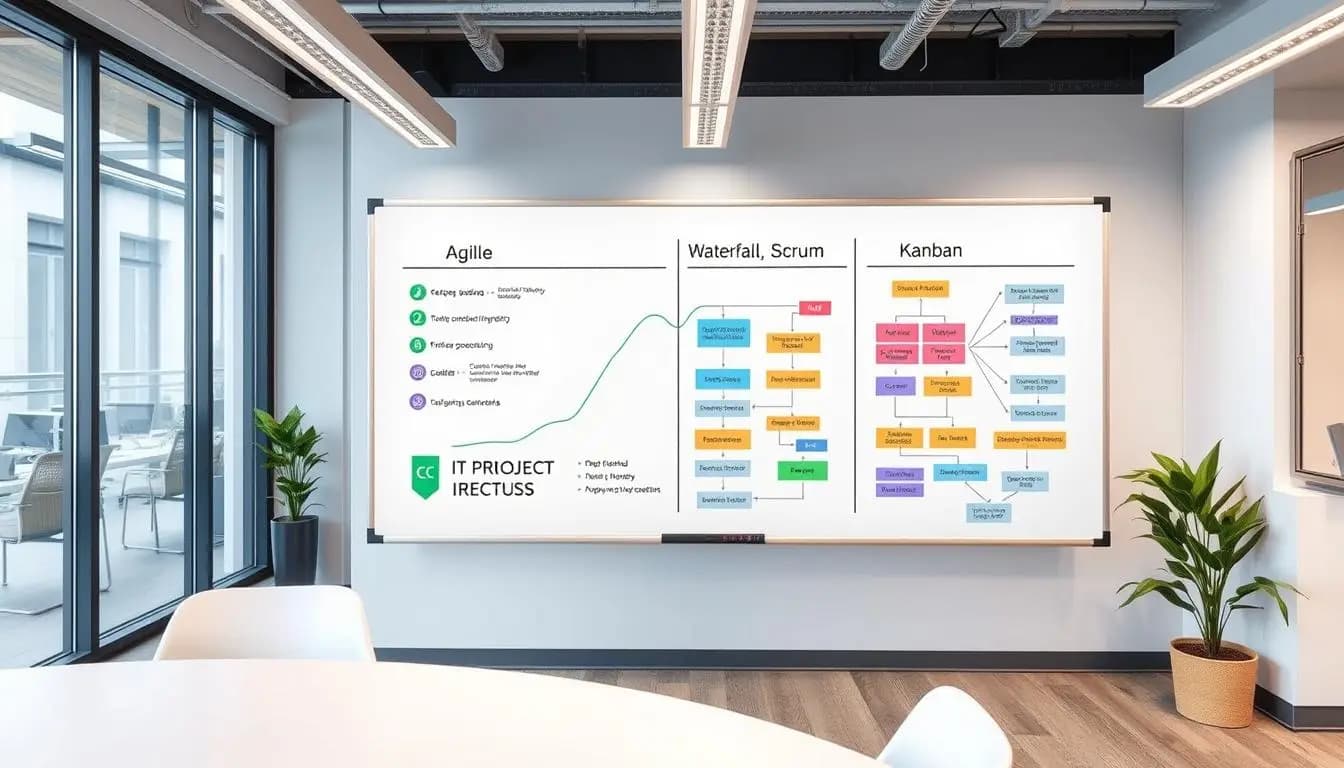
Choosing the right project methodology in IT can determine the success or failure of an initiative. Whether you’re managing a small development team or coordinating complex corporate projects, understanding the differences between methodologies will help you make better decisions. This article presents the most popular IT project methodologies, their characteristics, applications, and practical tips for selecting the best approach for your project. What are project methodologies in IT? Project methodologies in IT are structured approaches to planning, executing, and controlling IT projects. They consist of rules, practices, and procedures that help teams manage their work efficiently and deliver business value. The choice of methodology depends on many factors, including project specifics, organizational culture, client requirements, and available resources. Different project methodologies offer various approaches to IT project management: Traditional Methodologies (Classical) Traditional methodologies, also known as classical or sequential approaches, are characterized by a linear process of project execution. They rely on thorough planning and documentation, requiring the completion of one phase before moving on to the next. Waterfall The Waterfall model is one of the oldest methodologies in IT project management. Its process flows sequentially through the following phases: requirements analysis, design, implementation, testing, deployment, and maintenance. Advantages of Waterfall Disadvantages of Waterfall PRINCE2 PRINCE2 (PRojects IN Controlled Environments) is a structured project management methodology emphasizing organization, management, and control. It’s widely used in both the public and private sectors, especially in Europe. PRINCE2 is based on seven principles, seven themes, and seven processes that together form a comprehensive framework for managing projects. This methodology is particularly suitable for large, complex projects where control and risk management are crucial. Agile Methodologies Agile methodologies emphasize flexibility, collaboration, and delivering business value in short cycles. Unlike traditional methodologies, Agile allows for continuous adaptation to changes in requirements and priorities. The Agile Manifesto At the core of all Agile methodologies lies the Agile Manifesto, which defines four key values: Scrum Scrum is the most popular Agile methodology, organizing work into short, time-boxed iterations called sprints (typically 2-4 weeks). Key roles in Scrum include the Product Owner, Scrum Master, and Development Team. Advantages of Scrum Disadvantages of Scrum Kanban Kanban is an Agile methodology focusing on visualizing workflow and limiting work in progress (WIP). Its main tool is the Kanban board, which displays task statuses across different columns. Kanban prioritizes continuous value delivery, WIP constraints, and identifying and eliminating bottlenecks in the process. It’s particularly useful for projects with shifting priorities or teams handling system maintenance. Hybrid Methodologies Hybrid methodologies combine aspects of classical and Agile approaches to leverage the strengths of both. They’re increasingly popular with organizations needing Agile flexibility but also the structure and predictability of traditional methods. Scrumban Scrumban is a blend of Scrum and Kanban, incorporating Scrum structures (roles, events) with Kanban’s visualization and WIP limitations. It’s a flexible method suited to teams transitioning from Scrum to Kanban or those needing more adaptability than Scrum offers. Agile-Waterfall The Agile-Waterfall approach (sometimes called “Water-Scrum-Fall”) merges elements of both methodologies. Typically, planning and requirements phases use the Waterfall model, while implementation and testing adopt short, Agile iterations. Scaled Agile Methodologies Scaled Agile methodologies allow Agile principles to be applied across large organizations and complex projects involving multiple teams. SAFe (Scaled Agile Framework) SAFe provides a comprehensive framework for implementing Agile practices at the enterprise level. It offers a structure for organizations at four levels: team, program, large solution, and portfolio. LeSS (Large-Scale Scrum) LeSS is a framework for scaling Scrum within large organizations. It focuses on maintaining the simplicity of Scrum while enabling multiple teams to collaborate on a single product. Nexus Nexus, developed by the creators of Scrum, extends Scrum to multiple teams working on a single product. It introduces an additional integration layer to coordinate teamwork across teams. DevOps as a Methodology DevOps combines software development (Dev) with IT operations (Ops) to reduce system lifecycle times and deliver high-quality software continuously. While not a traditional methodology, DevOps incorporates practices and tools that influence IT project management. DevOps emphasizes automation, continuous integration and delivery (CI/CD), monitoring, and rapid issue resolution. It aligns well with Agile methodologies, particularly in organizations looking to accelerate business value delivery. Comparing IT Project Methodologies The table below compares key features of various IT project methodologies: Feature Waterfall Scrum Kanban PRINCE2 DevOps Flexibility Low High Very high Medium High Documentation Extensive Minimal Minimal Extensive Automated Client involvement Mostly upfront Continuous On demand Structured Continuous feedback Value delivery timeline End of project After each sprint Continuous flow Stage-based Continuous delivery Change management Formal, costly Expected, easy Continuous adaptation Controlled Rapid implementation Best application Stable requirements Evolving requirements Maintenance, ongoing improvements Large, complex projects Continuous product development How to Choose the Right Methodology for Your IT Project Choosing a project methodology should be tailored to the project’s specifics, organizational culture, and client needs. Here are some key criteria to consider: Real-Life Applications of IT Project Methodologies Summary Selecting the right IT project methodology is critical to a project’s success. Opt for an approach that aligns with your project’s specifics, organizational culture, and client needs. Often, blending methodologies capitalizes on their respective strengths. Whatever your choice, remember to prioritize adaptability, continuous learning, and alignment with your business objectives. Do you need help selecting the right methodology for your IT project? Our experts can assist in choosing and implementing the project methodology that best suits your organization’s needs. Contact us to schedule a free consultation. Frequently Asked Questions About IT Project Methodologies Can different project methodologies be combined in a single project? Yes, hybrid approaches are becoming increasingly popular. Many organizations combine elements of traditional methodologies (e.g., for the planning phase) with agile approaches (e.g., for the implementation phase). The key is understanding which aspects of each methodology best align with your project’s needs. How can I convince my organization to change its project methodology? The most effective strategy is to start with a small pilot project to demonstrate the advantages of the new methodology. Engaging key stakeholders, providing

4/26/2025
Content Management: 5 Reasons Why Adobe Experience Manager Is Your Best Choice
Content management is a key for . We focus on website and digital content management. At our company, we’ve seen the benefits of better content management. Adobe Experience Manager is our top pick for businesses. It offers great features and is easy to use. It helps manage content across many platforms, from websites to social media. Introduction to Adobe Experience Manager Adobe Experience Manager is a top choice for businesses of all sizes. It stands out from other solutions. We’ll look at the top 5 reasons it’s the best for content management, including its advanced personalization and seamless management. The Evolution of Digital Content Management in Modern Business The digital world is always changing, and content management is no exception. A good content strategy is key for businesses to keep up. With more digital platforms, companies need to manage their content well. They must use seo optimized content to reach their audience. Our team sees the need for solutions that work together. By using content marketing, businesses can have a strong online presence. This boosts their brand’s visibility and engagement. We’ll look at the latest trends and best practices in digital content management. The digital world is always changing, and businesses must adapt. Understanding content management and new solutions is crucial. Our aim is to help businesses navigate this complex world. We offer expert advice on seo optimized content and content marketing to help them succeed. Understanding Adobe Experience Manager’s Core Framework We think content management is key for businesses to thrive today. Adobe Experience Manager has a strong core framework for easy content creation and development. It helps manage content well, from making to sharing, and offers a personal touch for customers. The core of Adobe Experience Manager focuses on content creation and content development. This lets businesses manage content for web, mobile, and social media. It comes with tools for better content management, like analytics, personalization, and automation. We aim to show how content development boosts customer engagement and loyalty. With Adobe Experience Manager, businesses can offer personalized experiences, enhance their brand, and grow their income. We guide and support businesses in content management, helping them meet their specific needs and goals. By focusing on content creation and content development, businesses can stand out in the market. We see Adobe Experience Manager as a powerful tool for businesses to manage their content well. We’re here to offer the expertise and support needed for success. Seamless Content Management Across Multiple Channels In today’s digital world, it’s key to share content that speaks to our audience everywhere. Good web content management helps us create and share content that fits each platform’s needs. At the core is content management, which makes our content strategy smooth, consistent, and impactful. We focus on giving our audience a smooth experience, no matter where they see our content. With web content management, we make sure our message gets across well. This boosts engagement, drives sales, and helps our business grow. Mobile-first content delivery In our mobile-first world, making content for smaller screens is crucial. This ensures our content works great on phones, improving user experience and loyalty. Social media integration capabilities Good social media integration is key to our content management strategy. It lets us share our content on social media, reach more people, build our brand, and start meaningful talks with our audience. Cross-platform content synchronization Lastly, cross-platform content synchronization is vital for keeping our content consistent and engaging everywhere. This unity in our content helps us stand out and connect with our audience in a powerful way. Advanced Personalization Features in AEM We think personalization is crucial for a great user experience. We’ll look at Adobe Experience Manager’s personalization tools. Our aim is to boost your content strategy and user engagement with smart digital content management. AEM’s advanced features let businesses tailor content for different groups. This makes the user experience more personal, boosting engagement and sales. We see how personalized content helps our clients achieve their content strategy and business goals. AEM’s core is a strong digital content management system. It helps manage and share personalized content across various platforms. This ensures a consistent and engaging user experience. By using AEM, companies can make their content creation and delivery smoother, saving costs and time. Working with our clients, we see AEM’s positive effects on their digital content management and business success. With AEM’s advanced personalization and a solid content strategy, businesses can grow, engage users better, and stay competitive. Enterprise-Level Security and Compliance Standards Security and compliance are key in content management for businesses. We recommend Adobe Experience Manager for this reason. It offers top-notch security and meets all regulatory needs. In content management, security is a must, not just a feature. For website content management, keeping data safe is vital. Adobe Experience Manager has strong security features like encryption and access controls. It keeps your content safe from unauthorized access and data breaches. Data Protection Measures Our team knows how important data protection is. With Adobe Experience Manager, your content is secure and follows all rules. Regulatory Compliance Frameworks We make content management easy and secure. Adobe Experience Manager supports GDPR, HIPAA, and CCPA. This lets businesses focus on creating great content, while we handle security and compliance. Authentication and Access Control We’re committed to top website content management solutions. Adobe Experience Manager has strong authentication and access control. It ensures only the right people can see your content. Content Management System Integration Capabilities We think it’s key to link your content management system with other tools and platforms. This makes your workflow smoother and boosts your content strategy. We’ll look at how Adobe Experience Manager can help businesses improve their content workflow. Our aim is to help you work remotely better by sharing tips and best practices. By connecting Adobe Experience Manager with marketing tools, CRM, and analytics, you can streamline content creation and sharing. This lets you concentrate on making great content that your audience loves. Many businesses

4/25/2025
How to Scale an IT Team Effectively Without Losing Quality?
Scaling an IT team effectively means separating three decisions: who to hire permanently, what to outsource, and how to design onboarding so new people don’t slow the existing team down. The biggest mistake is treating scaling as pure recruitment — with no plan for who transfers knowledge or how a new team member reaches full productivity. The scaling model (hiring, project outsourcing, team extension, dedicated team) has to match whether the need is permanent or temporary. Why is scaling an IT team harder than it looks? Company growth is often step-like — a new contract, a new product, a sudden traffic spike — while a new employee’s competence always grows gradually: onboarding, getting up to speed on code and process, reaching full productivity takes weeks, not days. That gap in pace creates a window where the team is overloaded before reinforcement actually helps — and that window needs to be planned for deliberately, not ignored while hoping things „sort themselves out.” Hiring, outsourcing, or a dedicated team — which scaling model to choose? Photo: ThisisEngineering / Unsplash Model Time to start Flexibility Best for In-house hiring Weeks-months Low (hard to reverse) A permanent, long-term need for a competence core to the product Project outsourcing Days-weeks High A specific, closed scope of work with a clear end date Team extension Days-weeks Medium-high A missing skill in the existing team, without needing a full-time hire Dedicated team Weeks Medium Long-term product development without building your own team from scratch How to plan team scaling — step by step Identify the actual bottleneck, not a vague „we need more people.” Check whether you’re missing a specific skill or just throughput in existing roles — different problems with different solutions. Check whether the need is permanent or temporary. A permanent need for a core product skill = hiring. A closed project or a temporary peak = outsourcing or team extension. Plan onboarding before hiring, not after. Who transfers knowledge, what documentation exists, who mentors — without this, every new person slows the team down longer than they should. Start with the roles most critical to further growth, not the easiest to fill. Prioritizing by ease of hiring instead of business impact is a common mistake. Decide how you’ll measure success before you start. Without a baseline, it’s hard to tell whether reinforcing the team actually translated into results. How do you avoid losing quality and culture during fast growth? Photo: Christina @ wocintechchat.com / Unsplash Quality during scaling holds up not through controlling every new team member individually, but through clear standards that exist independently of who’s working on a given task — code review, architecture documentation, deployment checklists. A team that relies on „everyone just knows how it’s done” in their heads scales poorly no matter how good the people it hires are — that’s why well-scaling teams also invest in automating repeatable processes, not just documentation. Culture transfers through example and frequency of contact, not through onboarding statements. Fast growth without deliberately nurturing those channels dilutes culture regardless of how carefully new people are selected for skill. When does outsourcing help scaling, and when does it hurt? Outsourcing helps where the need is genuinely temporary or falls outside the product’s core competence — easier to start and stop without a long-term commitment. It hurts where a company hands off knowledge core to the product with no plan to bring it back in-house — that ends in dependency on a vendor for something that should be an internal competence. A useful test: if, after the engagement with an external team ends, the company couldn’t maintain what was built on its own, then something that should have stayed in-house was probably outsourced. Vendor selection matters a lot here — check how to choose the right IT company for your project before committing to a longer engagement. The billing model matters too: for project outsourcing, it’s worth thinking through how to choose a billing model for an IT project so the risk of a budget overrun doesn’t fall entirely on you. How do you measure the results of team scaling? The most reliable signal is time to productivity for new hires — if it shortens with each successive hire, onboarding is actually working. The second signal is whether the team’s delivery pace grows proportionally with its size, or stalls despite new people — a sign the problem isn’t headcount but process or communication between people. FAQ What are the biggest challenges in scaling an IT team? Maintaining quality and culture as headcount grows, budget constraints, and deadline pressure that grows faster than new people’s ability to contribute meaningfully. When is hiring better than outsourcing? Hiring makes sense for a permanent, long-term need for a competence core to the product. Outsourcing works for closed-scope work or a temporary load spike. How is team extension different from project outsourcing? Team extension adds specific people to your existing team and process (you manage the work), project outsourcing hands the whole scope of work to an external team along with managing it. How do you measure whether team scaling succeeded? Track new hires’ time to full productivity, and whether the team’s delivery pace grows along with its size. Does fast scaling always lower quality? Not necessarily — quality drops from a lack of clear standards and documentation, not from growth speed itself. Teams with well-documented processes scale faster without losing quality. Like our content? Add us as your preferred source on Google. Add as preferred source

4/25/2025
How to Choose a Billing Model for an IT Project?
Four models dominate the market: Fixed Price, Time & Material (T&M), Dedicated Team, and a hybrid milestone-based model. The right choice depends on whether the project scope is closed or will evolve during delivery — there’s no single „best” model, only the right fit for a given project. At Codari we most often recommend T&M with a range estimate or the hybrid model; Fixed Price only works when the specification is genuinely closed. What are the IT project billing models? Model How it works Risk sits with Best for Fixed Price A fixed amount for a pre-defined scope The vendor (must estimate accurately) Closed scope, short project, clear spec Time & Material (T&M) Billed for actual hours worked The client (cost grows with scope) Changing scope, Agile projects, long-term work Dedicated Team A fixed team on retainer, billed as a monthly flat fee Shared, but the client pays for availability, not just output Long-horizon product development, need for a stable team Hybrid / milestone-based Fixed Price per milestone + T&M for out-of-scope changes Shared between both parties Large implementations (CRM, ERP, custom apps) with analysis and delivery phases When does Fixed Price make sense? Fixed Price only works when the project scope is closed before work starts — a simple one-page site, for example, or an integration with a clearly defined interface. The client gets budget predictability, but loses flexibility: any scope change during delivery requires a new estimate and a contract annex. The biggest Fixed Price trap is vendor underestimation. If an IT company skips a proper pre-implementation analysis, it compensates for the risk with an inflated margin or cuts corners to stay within budget. A solid Fixed Price always follows a paid analysis phase (workshops, specification) — not a guess based on a brief, the same way a solid CRM implementation quote starts with requirements analysis, not a price list. When does Time & Material make sense? T&M fits projects where scope will keep changing — Agile product development, long-term system maintenance, R&D work. The client pays for work actually done and keeps full control over sprint priorities, but takes on the risk of exceeding the initial estimate. To limit the client’s risk without giving up T&M’s flexibility, good practice is providing a range estimate before kickoff (e.g. in working days) based on requirements analysis, not a blank-check T&M. What is a Dedicated Team and when does it work? A Dedicated Team is a team (developers, sometimes a project lead) assigned to one client for an extended period, billed as a monthly flat fee regardless of how many tasks are completed that month. The client pays for the team’s availability and continuity, not for a single deliverable — closer to hiring than to buying a service. This model wins where the project has no fixed end date — SaaS product development, maintaining and extending a custom system. It requires trust and maturity on the client side: without a product owner who actively manages the backlog, a Dedicated Team quietly turns into paying for time instead of value. Vendor selection matters more here than for a one-off job — check how to choose the right IT company for your project before committing to a long-term arrangement. What is milestone-based billing? Photo: Jo Szczepanska / Unsplash The hybrid model splits a project into phases (milestones) — each with its own scope, deadline, and amount billed on acceptance. Within a phase, Fixed Price applies (predictability); changes requested outside an approved phase’s scope are billed as T&M. It’s the model that genuinely combines both approaches’ strengths, at the cost of more administrative work on both sides (phased sign-offs, change management). In practice it works best for implementations that split into logical stages: analysis and architecture design → core module delivery → integrations → automation and AI. Each stage has its own quote and its own sign-off, so the client doesn’t pay everything upfront and the vendor doesn’t carry the whole budget’s Fixed Price risk — it’s the same model we use for custom application development, where scope naturally splits into modules. What determines an IT project’s final cost, regardless of the model? The final cost of a project depends mainly on the actual effort involved — integration complexity, number of iterations, testing scope — not on the billing model itself. The billing model doesn’t change how much work a project takes; it only changes who carries the risk of exceeding the initial estimate, and when. Under Fixed Price that risk sits with the vendor (priced in as a buffer); under T&M it sits with the client; under the hybrid model it’s split across project phases. So when comparing quotes across different models, the useful question isn’t „which is cheaper” — it’s „who pays if the estimate turns out to be wrong.” How to switch billing models mid-project Freeze the current scope. Before switching, document what’s already been delivered and billed — that’s the baseline for the new agreement. Pick the model that fits the project’s current stage. If Fixed Price scope keeps evolving, move to T&M or a hybrid model for the next phases — don’t stretch Fixed Price to fit changing requirements. Sign an annex, not a verbal change. The new billing model, rates, and acceptance process need to be in the contract to avoid disputes over what was „included.” Set a new reporting rhythm. T&M and Dedicated Team need regular hours/status reporting — without it, the client loses the budget control Fixed Price guaranteed. FAQ Which billing model is cheapest? No model is inherently cheaper — final cost depends on actual effort. Fixed Price is often more expensive per hour, since the vendor prices in a buffer for underestimation risk. Can you combine several billing models in one project? Yes — that’s the hybrid model: closed-scope stages billed Fixed Price, changes and additions outside scope billed T&M. Is Dedicated Team the same as staff outsourcing? Similar, but not identical — in Dedicated Team the vendor is also responsible for

4/24/2025
How much does a custom mobile app cost in 2026?
A simple mobile app without its own server runs 25,000–40,000 PLN net today. An MVP with a user account and backend — 48,000–96,000 PLN. A full-featured product with payment integrations, an admin panel, and multi-language support starts at 120,000 PLN and grows with the number of platforms. The final price is hours worked times rate, not a price-list line item — which is why the ranges are this wide. What determines the cost of a mobile app? Five factors decide which of the three brackets above a project lands in: Number of platforms — one cross-platform build for Android and iOS costs less than two separate native apps. Backend and user accounts — an app with no login and no server is a completely different budget than a system with registration, roles, and a database. External integrations — payments (Stripe, PayU), maps, push notifications, SMS. Each integration means extra testing and error handling, not just an API hookup. Admin panel — if the business owner needs to manage content or users from a separate panel, that’s practically a second application alongside the mobile one. Number of screens and UX complexity — a 50-screen app is rarely better for the business than one with 10. Start with an MVP — what’s actually needed for the first sale, not the full product vision. Native or cross-platform — which to choose? This is the question we hear on nearly every brief. Native development (separate Swift/Kotlin builds for iOS and Android) gives the highest performance and full access to system features, but doubles the work — you write and maintain two separate apps. Cross-platform (React Native, Flutter) means one codebase for both platforms, a faster start, and lower maintenance cost, at the price of a bit of performance on the most demanding animations or 3D graphics. Criterion Native (Swift/Kotlin) Cross-platform (React Native/Flutter) Starting cost Higher — two separate projects Lower — one codebase, two platforms Time to MVP Longer Shorter Performance Maximum Very good, outside extreme cases (3D, heavy graphics) Maintenance cost Higher — two teams/codebases Lower — one codebase Access to new system features Immediate Usually delayed by a few weeks When it makes sense Apps heavily dependent on hardware (AR, games, NFC payments) Most business and consumer apps For most business projects — management apps, loyalty programs, tools for clients — cross-platform wins on the cost/time/maintenance balance. Native makes sense where the app lives off hardware capability, not business logic. What does the process of building a custom mobile app look like? Workshop and functional spec — you and the team write down what the app needs to do, for whom, and which screens are actually needed to start. The more precise the brief, the fewer surprises in the quote. Wireframes and prototype — a wireframe or clickable UI prototype to verify the navigation flow before anyone writes a line of code. Technology choice — native vs cross-platform, backend (if needed), integrations. The decision from the section above, matched to the specific project. Iterative development — sprints with regular demos, not one delivery after three months of silence. Testing on real devices — a simulator won’t catch everything, especially around push notifications and payments. Publishing to the App Store / Google Play — Apple’s review process can take a few days longer than Google’s — worth factoring into the launch timeline. A simple app takes 4-8 weeks, an MVP 6-12 weeks, an advanced product 3-6 months. Timelines grow not only with complexity but with how fast the client decides — the longest delays we’ve seen came from waiting on mockup approval, not from the coding itself. Does a mobile app need to comply with GDPR? Yes — if the app processes any personal data, GDPR applies regardless of company size or user count. This covers practically every app with a user account, since a name, email, or IP address already counts as personal data. Privacy by Design isn’t something to bolt on at the end of a project — it’s a design requirement from the first screen. The app needs a privacy policy compliant with GDPR Articles 13/14, clearly stating the purposes of processing and the legal basis for each. If the app collects sensitive data under GDPR Article 9 — health, real-time location, biometric data — the consent requirements are stricter, and a Data Protection Impact Assessment (DPIA) is often needed too. Payment integrations add PSD2 obligations, and publishing to the App Store and Google Play means additional compliance with the platforms’ own terms — Apple has its own App Tracking Transparency requirements, independent of GDPR. Planning for compliance at the functional-spec stage is cheaper than bolting it on after testing, when already-built screens need rework. How much does mobile app maintenance cost after launch? Roughly 10-20% of the build cost per year — a line item that some quotes skip, and that shows up only after the app’s first year in production. Unlike a website, a mobile app doesn’t run unattended — Apple and Google change app store requirements every year, and without updates the product starts breaking on newer phones. The maintenance budget covers: backend hosting (roughly 200-2,000+ PLN per month, depending on user count), developer account fees (Apple App Store: 99 USD/year, Google Play: 25 USD one-time), stability monitoring, bug fixes, and adapting the app to new iOS and Android versions. New feature development is quoted separately, outside this budget — that’s not maintenance, it’s further product expansion. Mobile app or web app (PWA)? If the main goal is reaching users without forcing an app-store install, a progressive web app (PWA) can be a cheaper middle ground — it runs in the browser but offers some native-app features (notifications, a home-screen icon, offline use). The trade-off is no full access to system features and a weaker experience on iOS, where Apple limits PWA capabilities more than Google does on Android. For simple tools and an early MVP, it’s often a sensible first step before investing in a

3/28/2025
How to Choose the Right Technology for Creating Mobile and Web Applications?
Initiating a mobile or web application project is an exciting step, especially when you recognize its potential to grow your business. However, one of the most important and often challenging decisions to make at the outset is selecting the right technology. The technology you choose impacts the project’s timeline, costs, quality, and future scalability. Why is this decision so crucial, and how should you approach it wisely? Why Is Technology Choice Crucial? Technology serves as the foundation of any application, influencing its performance, both visually and functionally. Choosing the right technology can guarantee: A technology mismatch with application needs can lead to performance issues, compatibility problems, or expensive rebuilds down the line. Overview of Popular Technologies The market offers a wide range of technologies for creating mobile and web applications, all varying in functionality and scope. Here are some commonly chosen solutions: React Native This framework allows developers to create apps for both Android and iOS with a single JavaScript codebase. This reduces app development time, which in turn lowers costs. Flutter Developed by Google, this framework provides rich customization of user interfaces and ensures smooth, fast application performance. It uses the Dart programming language and is especially popular for projects requiring unique designs. Angular A front-end framework ideal for building dynamic web applications. It allows efficient management of complex projects and features high modularity, making it suitable for extensive applications. Node.js Node.js is a server-side technology designed for real-time applications. Its ability to handle large data volumes in minimal time suits apps like messengers and management systems. Criteria for Choosing a Technology Choosing the right technology depends on the specific requirements of your application and the business environment in which it will operate. To make the best decision, consider the following factors: Summary Selecting the technology for a mobile or web application is a strategic decision that goes beyond technical considerations. A well-thought-out choice not only allows you to complete the project within budget but also ensures smooth performance and potential growth for the application. If you’re uncertain or need professional guidance in choosing the right technology, reach out to us. The Codari team specializes in creating tailored applications for businesses, and our experts are ready to recommend the best solution for your project. Together, we’ll achieve success! Like our content? Add us as your preferred source on Google. Add as preferred source

3/25/2025
How is big data changing the approach to strategy creation? – A comprehensive analysis of data in business
In today’s business world, vast amounts of data are generated, measured in terabytes and petabytes. These datasets can help develop effective strategies by enabling companies to better understand the market and respond promptly to trends. What is Big Data? Big data refers to extremely large datasets that are difficult to process using traditional methods. These datasets include information collected over periods such as the last 12 months, aiding in creating statistical graphs that help in decision-making. The utilization of big data in automating business processes is growing. For instance, 67% of companies report that data analytics has improved their decision-making processes. This highlights the critical role of big data in formulating strategies. Big Data and Strategic Success Big data has transformed how companies strategize and compete. By analyzing trends and customer behavior, it enables firms to adapt their products and services for optimal market alignment. Definition of Big Data in Business Within business contexts, big data is characterized by three key attributes: Core Components of Big Data Big data leverages sophisticated data analysis methods, data modeling, and statistical computation to generate actionable insights. Influence on Decision-Making Big data significantly impacts organizational decisions by: Businesses need the right tools and skills to analyze and interpret big data effectively. Benefits of Data Analysis in Business Strategy We believe data analysis is the key to success in modern business. By interpreting trends and forecasting future outcomes, companies can develop strategic advantages. Primary benefits of data analysis include: Statistics show that 70% of managers find data analysis crucial for better decision-making. Additionally, 64% of customers expect personalized engagement from brands. Example Statistics Metric Impact Improved Decision-Making 70% of managers report better choices Operational Efficiency Increase Efficiency gains of 5-10% Customer Understanding 64% prefer personalized experiences Big Data’s Role in Transforming Business Big data is revolutionizing business operations by unlocking efficiencies in sales forecasting, customer personalizations, and supply chain management. Automating Analytical Processes Automated data analytics enables rapid decision-making. By visualizing trends and patterns, companies can better understand customer behaviors and react swiftly. Optimizing Supply Chains Big data optimization uncovers inefficiencies in supply chains, allowing businesses to reduce costs while improving delivery speed. Personalized Customer Experiences Data analytics facilitates tailored user experiences, driving increased customer loyalty and sales. Common Benefits Include: Tools and Technologies Driving Big Data Specialized tools are necessary to process big data efficiently. Key technologies include: Example Technologies Tool Purpose NoSQL Databases Storing and managing large, unstructured datasets Hadoop Distributed data processing for expansive datasets Apache Spark Real-time analytics and accelerated computations The value of the Big Data Analytics (BDA) market is expected to surpass $150 billion in the coming years, with annual growth rates exceeding 12%. Overcoming Challenges in Data Strategies While leveraging big data offers benefits, challenges such as skill gaps, infrastructure limitations, and incomplete datasets pose hurdles. Common Challenges Include: Solution Overview: The Future of Business Analytics The demand for business intelligence solutions and AI integrations is accelerating. Industry forecast predicts that the global analytics market will reach $82 billion by 2025. Trends Shaping Analytics: Future Milestones Development 2024 Wider adoption of personalized BI technologies 2025 Global analytics market valuation to peak above $82 billion Nurturing a Data-Informed Organizational Culture Building a culture centered on data use is critical for success. Studies show organizations practicing data-driven cultures enjoy 20% better sales outcomes than competitors. They also report a 30% reduction in service cancellations and greater employee satisfaction with job roles. Metric Insight Employee Satisfaction 80% in data-positive firms report high job satisfaction. Sales Effectiveness Firms achieve 20% better results with data-infused strategies. Integrating Big Data with Legacy Systems Merging big data systems like NoSQL engines, Hadoop, and machine learning workflows into existing enterprise-level frameworks is critical for scalability and long-term innovation. Technology Example Purpose Hadoop For cluster-level analytics and periodic ETL fetching. MapReduce Algorithms Runs segmented workloads scalable to mid-tier clusters. Continual optimization of integration pipelines ensures harmonization across multiple business vertices. Recognizing where limitations lie across disparate databases remains central when rolling-out re-scoped automation frameworks scalable to multi-business models seamlessly. Like our content? Add us as your preferred source on Google. Add as preferred source

3/16/2025
Why does storytelling on a website attract customers?
„People don’t buy what you do, they buy why you do it.” These words embody the essence of storytelling, a practice that has been key to influencing emotions and creating memorable experiences for centuries. In the digital era, where consumer attention is fleeting, storytelling on websites transforms plain information into engaging narratives that build relationships with customers. What is Online Storytelling? Storytelling in the digital context is the art of crafting compelling stories through digital content, creating emotional connections with the audience. Stories may highlight brand values, missions, or product benefits, but their key feature is authenticity. Rather than traditional advertising, digital storytelling relies on evoking emotions and building trust. Websites that incorporate storytelling become for customers not just sources of information but also inspirations and platforms for forging connections with the brand. Why Does Storytelling Work on Websites? Elements of Effective Website Storytelling How Storytelling Transforms Websites Integrating storytelling into a website transforms brand communication into a customer experience. Product pages can showcase how people have changed their lives using the brand’s solutions. The „About Us” section can narrate the story of the company’s founders or the inspirations behind its creation. Meanwhile, homepages should introduce customers to an emotional journey that sparks curiosity for more. Studies reveal that stories enriched with visuals such as photos or videos are shared five times more often on social media than traditional ad content. Codari – Experts in Website Storytelling If you dream of a website that elevates your brand and captivates your customers, Codari is the partner you need. Our team specializes in merging modern technology with the power of storytelling, designing websites that engage, inspire, and convert. At Codari, we believe every brand has a unique story waiting to be told. That’s why we treat each client individually, implementing solutions tailored to their needs and market demands. Whether you want to showcase your values, share your mission, or build a lasting online presence, we’ll create a website that speaks directly to your audience’s hearts. Make your brand unforgettable through the power of storytelling. Contact us today, and together, we’ll craft a website that becomes a true narrative of your success. We’ll transform virtual visits into emotional experiences that customers will remember for years to come. Do You Have a Story in Mind? Reach out to us at Codari, and we’ll create a website that enchants your customers. Share your story with the world today! Like our content? Add us as your preferred source on Google. Add as preferred source

3/11/2025
The Latest Trends in SaaS Product Development
The SaaS market is developing at a lightning-fast pace. In 2019, revenues from this sector reached as much as $85.1 billion, marking a 17% increase compared to the previous year. This dynamic growth is no accident. Companies worldwide, from small startups to large corporations, are increasingly choosing cloud-based solutions due to their flexibility and scalability. One of the key trends is service personalization. Thanks to advanced technologies, such as AI, SaaS tools can adapt to the individual needs of clients. An example could be MailChimp, which automates marketing campaigns, or Brand24, monitoring online brand sentiment. Another important aspect is the rise in popularity of usage-based pricing models. Clients are increasingly willing to pay only for the resources they actually use, which boosts their loyalty and satisfaction. This model is particularly beneficial for small and medium-sized businesses, as it allows them to optimize their spending. It is also worth noting the development of collaboration platforms. Tools such as Nozbe or InStream enable effective teamwork, even in remote environments. Thanks to integration with other systems and APIs, these platforms improve operational efficiency and simplify project management. Key Information The SaaS market is experiencing dynamic growth, reaching $85.1 billion in 2019. Service personalization is one of the most important trends in the development of SaaS tools. Usage-based pricing models are gaining popularity due to greater transparency and cost efficiency. Collaboration platforms, such as Nozbe and InStream, improve the efficiency of project teams. Integration with APIs and other systems is crucial for operational efficiency. Key Trends in SaaS Product Development The SaaS software market is undergoing a period of rapid development. With the growing popularity of cloud platforms, personalization, and new pricing models, the industry is constantly evolving. These trends are not only changing how businesses deliver services but also shaping customer expectations. The Growth of Cloud Software Cloud-based software has become the foundation of business modernization. It allows companies to scale their resources and adapt to changing needs. Tools like Brand24 and MailChimp demonstrate how the cloud can streamline business processes. Personalization of Features and Offerings Personalization is vital for attracting and retaining customers. With advanced technologies like AI, companies can create tailored solutions to meet specific needs. A great example is the custom statuses in ClickUp, which effectively showcase the power of personalization. Evolution of Pricing and Subscription Models Usage-based pricing models are becoming more popular. Customers want to pay only for what they use, which increases their satisfaction. This trend is particularly advantageous for small and medium-sized enterprises. Trend Description Example Cloud Streamlines business processes Brand24, MailChimp Personalization Tailored solutions ClickUp Pricing Model Pay-for-use approach SMEs These trends are shaping the future of the SaaS market, offering greater flexibility and value to customers. Inspirations and Examples of the Latest SaaS Tools Within the fast-growing SaaS software market, new and innovative tools are emerging constantly. They help businesses manage projects, improve communication, and automate processes. These solutions not only streamline everyday tasks but also open up new possibilities for businesses. SaaS in Project and Team Management For project management and team coordination, tools like ClickUp and Monday.com are indispensable. ClickUp offers more than 15 views of work processes, enabling customization to individual needs. Thanks to integrations with other systems, like Zapier, these tools significantly enhance efficiency. Examples of Applications: CRM, Marketing Automation, and Collaboration Tools Among the noteworthy examples are InStream, an excellent solution for companies seeking advanced CRM functionality. For marketing, edrone provides campaign automation, while Slack facilitates team communication. These tools highlight how modern technologies can support business growth. Translation Key Information The SaaS market is experiencing dynamic growth, reaching $85.1 billion in 2019. Service personalization is one of the most important trends in the development of SaaS tools. Usage-based pricing models are gaining popularity due to greater transparency and cost efficiency. Collaboration platforms, such as Nozbe and InStream, improve the efficiency of project teams. Integration with APIs and other systems is crucial for operational efficiency. What Tools and SaaS Models are Changing the Market? The modern SaaS software market is evolving with the introduction of new models and tools that adapt to changing business needs. This section highlights the trends and solutions shaping this sector. Differences Between Horizontal and Vertical SaaS SaaS solutions can be categorized into horizontal and vertical types. Horizontal SaaS is designed for a broad range of customers, regardless of industry or company size. Slack is an example, streamlining team communication worldwide. On the other hand, vertical SaaS is tailored to specific industries, such as Shoper for e-commerce. Micro-SaaS Versus Traditional Solutions Micro-SaaS refers to small, specialized tools often created by startups. These tools offer simple features that address specific needs. For instance, Donorbox focuses exclusively on donation management. Conversely, traditional SaaS encompasses broader functionalities and caters to varied use cases. Integrations and Automation – Zapier, Slack, ClickUp Tool integration is vital for efficient work. Zapier connects different apps, automating processes. For example, automatically adding new contacts from Slack to MailChimp boosts efficiency for teams. Customer Relationship and Service Management Modern SaaS tools, such as Zendesk, are transforming how companies manage customer relationships. They offer centralized communication and satisfaction monitoring. These trends and tools demonstrate how SaaS contributes to efficient work and business growth. Conclusion SaaS products are shaping the modern business landscape. Personalization, flexible pricing models, and the development of cloud technologies drive this sector forward. Companies adapting to these changes gain a competitive edge. To effectively leverage these trends, it’s important to understand your business needs. Selecting the right tools and solutions will allow you to optimize project management, team collaboration, and customer service. Continuously updating knowledge and monitoring the market is key to staying ahead. Take inspiration from the examples and insights presented in this article. Creating modern SaaS products isn’t just about technology; it’s about enabling more efficient work and driving better results for your business. FAQ What is SaaS software, and how does it work? SaaS (Software as a Service) is a software delivery model via the internet. Users access

2/26/2025
Strategies for Effective Change Management in IT Projects
Change management in IT is a key factor for companies aiming to adapt to rapidly evolving technological and market conditions. A well-implemented strategy helps avoid delays, additional costs, and other challenges in ongoing projects. In the IT sector, where new technologies emerge dynamically, effective change management ensures that projects align with market demands. If you’re looking for solutions tailored to your business needs, explore the innovative IT services offered by Codari. We provide support at every stage of your project. Key Stages of the Change Management Process Efficient change management in IT is based on several critical steps that aid companies in planning and implementing changes effectively. These are the most important stages of the change management process: Curious about managing change in large-scale platforms? Visit Codari AEM Experts to learn more about solutions that support digital transformation. The Role of Project Management Methodologies Selecting the right project management methodology is another essential factor in successfully implementing changes in IT. Popular approaches like Agile, Scrum, Kanban, and Waterfall are designed to adapt processes to evolving needs. Sample Methodologies: Each methodology supports organizations in adapting to dynamic project and technological conditions. Check Codari’s FAQ page for more details on choosing the best tools and processes for IT projects. Tools Supporting Change Management Introducing changes in IT requires appropriate tools to aid planning, communication, and monitoring. Popular applications like ClickUp and Freshservice assist in project management and analyzing their outcomes. Custom IT systems, such as those developed by Codari, offer comprehensive technological solutions that support various business processes. Building an Organizational Culture that Welcomes Change Organizational change cannot succeed without proper support from the team. A crucial element in effective change management is fostering an organizational culture that encourages innovation and adaptation. Clear communication, leadership engagement, and employee training minimize resistance to change. Research shows that organizations investing in a culture supportive of change achieve better results. Examples of best practices can be found on platforms like Harvard Business Review and Forbes Leadership. Minimizing Resistance to Change Fear of change often stems from a lack of knowledge or fear of the unknown. To address this, consider actions like open communication about benefits, involving employees in the change process, and organizing introductory workshops and training sessions. Measuring Change Process Effectiveness A vital part of any change management process is measuring its effectiveness. Metrics such as Mean Time to Resolve (MTTR) or team satisfaction levels help evaluate progress and identify areas for improvement. Remember, change management is an iterative process–continuous analysis and optimization are crucial for long-term success. Summary Change management in IT is the foundation that enables organizations to meet the dynamic demands of the market and technology. Identifying needs, utilizing appropriate tools, supporting teams, and evaluating outcomes are all critical elements. Interested in innovative technologies? Learn about Codari’s solutions and invest in professional support for your IT projects. Contact us today. Like our content? Add us as your preferred source on Google. Add as preferred source

2/24/2025
Outsourcing for Small Businesses: What Are the Best Solutions?
Outsourcing for small businesses is a way to focus on important tasks. It allows companies to reduce costs and better grow their business. Thanks to outsourcing, small businesses can manage expenses more effectively and avoid the need to hire additional staff. Outsourcing offers numerous benefits. It can lead to cost savings, improved flexibility, and increased efficiency. For small and medium-sized enterprises, it’s an excellent way to save money and concentrate on primary objectives. Outsourcing is not just about savings. It also provides access to the knowledge and expertise of specialists. This helps small businesses become more competitive in the market and greatly improves their chances of success. Summary What Is Outsourcing for Small Businesses? Outsourcing is when a company delegates tasks or services to other firms. It’s popular among small businesses that aim to cut costs and improve efficiency. There are many types of outsourcing services, such as accounting, IT, marketing, and customer support. IT outsourcing is especially beneficial for small businesses. It helps reduce operational costs, eliminating the need to hire in-house IT specialists. Outsourcing Helps Companies Reduce Operating Costs Outsourcing enables companies to lower the costs associated with auxiliary activities while maintaining a high standard of service. This is crucial for businesses aiming to focus on their core operations. It’s worth noting that the types of outsourcing services are diverse and can be tailored to suit the needs of any company. Entrepreneurs should thoroughly assess their requirements before deciding on a specific service. Strategic Benefits of Implementing Outsourcing Outsourcing helps companies save time and money while also increasing their flexibility and efficiency. This is especially important for small businesses, allowing them to concentrate on essential tasks. The implementation of outsourcing enables companies to quickly adapt to market changes. This is highly advantageous for small businesses. Cost savings from outsourcing can be significant, as outsourcing providers help reduce labor and operational expenses. Outsourcing Provides Flexibility for Companies Outsourcing gives businesses the flexibility to respond swiftly to market changes. Virtual assistants can reduce operational costs as they are more affordable than full-time employees. Outsourcing projects can lower the time and resources required to complete tasks, ultimately boosting efficiency. Knowledge Process Outsourcing (KPO) companies offer services that require advanced skills, adding extra value for businesses. Tools like ClickUp simplify project management, fostering better collaboration and communication within teams. Key Outsourcing Areas for Polish Small Businesses Outsourcing is widely utilized by small businesses in Poland. It often involves areas such as accounting, HR, IT, marketing, and customer service. By outsourcing these functions, companies can enhance efficiency and cut costs. A notable area is IT outsourcing. It enables small businesses to leverage modern technologies without investing in their own resources. If you’re searching for a reliable outsourcing company, consider several factors. Experience, portfolio, and customer feedback are particularly important. IT outsourcing for small businesses allows them to focus on core tasks and improve productivity. Security and confidentiality of information are also important. This is especially crucial in the face of cybercrime. That’s why choosing a good outsourcing company is essential. Analiza kosztów i potencjalnych oszczędności Outsourcing Can Drive Savings for Businesses Outsourcing can bring substantial savings for businesses. However, it’s essential to consider the costs associated with contract management and communication with external companies. Companies save on recruitment, training, and employee retention costs, which are the primary reasons for choosing outsourcing. External IT costs are lower than internal ones, providing significant financial benefits. Outsourcing enables flexible resource management, a key benefit in a fast-changing business environment. Technological and market shifts demand rapid adaptation, and outsourcing facilitates the growth of small businesses in such scenarios. Outsourcing Reduces Risks Associated with Outdated Technology Outsourcing helps mitigate risks tied to outdated technology, which is crucial for financial stability. Businesses can better control IT costs, a factor critical to how outsourcing impacts small business growth. This allows small companies to expand and compete in the market while leveraging the savings provided by outsourcing. How to Choose the Right Outsourcing Service Provider? Selecting the right outsourcing service provider is vital. Consider the company’s experience, skills, and reputation. For small businesses, outsourcing offers significant benefits by reducing costs and increasing efficiency. Choosing the Right Outsourcing Partner When selecting an outsourcing partner, consider financial stability, the range of services, and industry experience. To find a reliable company, conduct a thorough market analysis. Choose a firm with the appropriate experience and skills. Outsourcing for small businesses can also increase flexibility and responsiveness to change. Criteria for Selecting an Outsourcing Partner Selection criteria should align with your company’s needs and goals. Key factors include costs, service quality, turnaround time, and customer service level. This ensures you find a partner who best meets your requirements and helps achieve your objectives. Challenges and Risks of Outsourcing Outsourcing can help small companies be more efficient and save money, but it comes with challenges and risks. For instance, 45% of businesses plan more outsourcing post-pandemic to focus on core activities. However, outsourcing may reduce control over processes and data. Challenges include issues with service quality, cultural and language differences, and risks of losing control over IT. Companies should regularly assess service quality and conduct external audits to safeguard data and minimize risks. Effective management can make outsourcing highly beneficial, but caution is necessary to avoid potential issues. Legal Aspects of Outsourcing in Poland Outsourcing in Poland must adhere to specific legal standards. While outsourcing offers numerous advantages, understanding its legal aspects is crucial. It allows businesses to focus on core operations while delegating auxiliary tasks to external providers. Poland offers various types of outsourcing agreements that can be tailored to a company’s needs. Outsourcing Agreements Outsourcing agreements form the foundation of cooperation with service providers. These contracts must be carefully negotiated to prevent future conflicts. Data Protection Data protection is a critical component of outsourcing, particularly for companies dealing with sensitive information. Businesses must ensure their partners comply with data protection regulations. Best Practices for Implementing Outsourcing Implementing outsourcing involves several key steps. Managing supplier